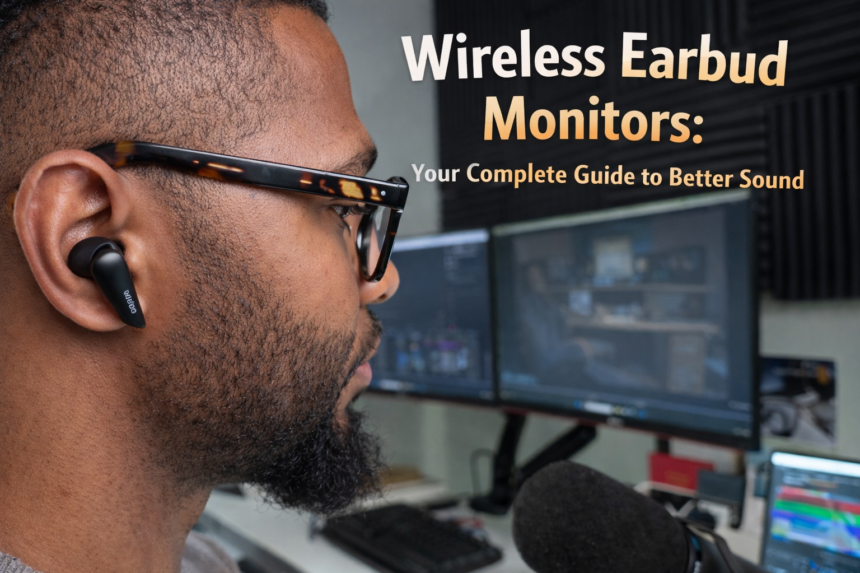
Looking for earbuds that actually deliver on sound quality? This guide breaks down everything you need to know about wireless earbud monitors from how they work to what to look for before you buy.
- What are wireless earbud monitors exactly?
- Key features to understand before buying
- Who actually benefits from wireless monitor earbuds?
- Musicians and performers
- Content creators and podcasters
- Gamers
- Everyday music listeners
- Fitness and commuters
- Common problems — and honest solutions
- How to choose the right pair a practical checklist
- Getting the best out of your wireless monitor earbuds
- Get the fit right before anything else
- Use the charging case consistently
- Clean the mesh and tips regularly
- Keep firmware updated
- Wireless earbud monitors vs. wired: when does wired still make sense?
There is a good chance you have seen performers on stage with small earpieces tucked in during a live concert. Those are monitor earbuds — and what was once a tool reserved for professional musicians has now made its way into everyday life. Today, wireless earbud monitors are used by students, gym-goers, content creators, and commuters who simply want better sound without dealing with tangled cables.
This guide is for anyone who has ever wondered if upgrading to wireless monitor earbuds is actually worth it, what to look for and how to get the most out of them.
What are wireless earbud monitors exactly?
At their core, wireless earbud monitors are in-ear audio devices designed to deliver accurate balanced sound directly to your ears. They connect to your phone, laptop or audio interface using Bluetooth no wires required.
What separates them from standard earbuds is their focus on sound accuracy. Regular earbuds are often tuned to boost bass and make music feel more exciting. Monitor earbuds by contrast aim to reproduce sound as truthfully as possible. Every instrument, vocal layer, and background detail comes through clearly. For musicians, this is essential. For everyone else, it simply means a more satisfying listening experience.
The wireless version of these earbuds takes all of that audio precision and removes the cable, giving you total freedom of movement.
Key features to understand before buying
| Sound accuracy | Passive noise isolation | Low latency |
| Flat, natural response — you hear what was actually recorded, not an enhanced version of it. | The ear tip seal blocks outside noise physically — no active processing needed. | Minimal delay between audio source and your ears — critical for live use and gaming. |
| Battery life | Secure fit | Driver quality |
| Most quality pairs offer 6–10 hours per charge, with extra from the charging case. | Multiple ear tip sizes and sometimes ear hooks to keep them in place during movement. | The driver is what produces sound — better drivers mean cleaner highs and fuller lows. |

Who actually benefits from wireless monitor earbuds?
The short answer: most people. But here is a more specific breakdown.
Musicians and performers
This is where it all started. On stage, a performer needs to hear their own voice and their band clearly — without the muddy echo of a room full of speakers. Wireless monitor earbuds give them a clean mix delivered straight to their ears. Going wireless means they can also move freely without worrying about tripping over cables.
Content creators and podcasters
When recording a voiceover or editing an episode, you need to catch every little imperfection — a breath in the wrong place, a pop sound, a slight hiss in the background. Accurate sound monitoring makes that job much easier.
Gamers
Gaming audio is all about detail and speed. Hearing footsteps approaching, detecting the direction of a sound, or catching subtle audio cues requires both accuracy and low delay. Wireless monitor earbuds with low latency perform well here.
Everyday music listeners
If you have ever listened to a favourite song through decent monitor earbuds and heard a guitar line or backing vocal you had never noticed before, you will understand the appeal. These earbuds reveal layers in music that consumer-tuned earbuds tend to smooth over.
Fitness and commuters
No cables, secure fit, and solid battery life make wireless monitor earbuds a great companion for the gym or a long commute. Many models are also sweat-resistant.
Common problems — and honest solutions
Problem 1
The connection keeps dropping mid-use
This is usually caused by distance or interference. Keep your source device within 10 metres, and avoid crowded wireless environments. Some earbuds also have a dedicated low-latency mode that improves connection stability.
Problem 2
Battery does not last as long as advertised
Volume level has the biggest impact on battery life listening at high volume drains the battery significantly faster. Active noise cancellation, if your model has it also uses extra power. Turn it off when you do not need it.
Problem 3
Sound quality feels thin or harsh
First, try a different ear tip size — a poor seal dramatically affects bass response and overall balance. If the fit is good and the sound still disappoints, check whether your streaming app is set to the highest quality audio setting.
Problem 4
Earbuds hurt after extended use
Discomfort almost always comes down to the wrong ear tip size or shape. Most wireless monitor earbuds come with three or more tip options. Try a smaller size — many people go too large. Memory foam tips are also much more comfortable for long sessions than silicone ones.
Problem 5
There is noticeable audio delay during video or gaming
Standard Bluetooth has some inherent latency. Look for earbuds that support aptX Low Latency or a dedicated game mode. These reduce the delay to a level where it is no longer noticeable in most situations.
How to choose the right pair a practical checklist
With so many options available, it helps to have a clear set of priorities before you start comparing products.
- Define your primary use. Musicians need accuracy above all. Gym users need sweat resistance and a secure fit. Everyday listeners might prioritise comfort and battery life.
- Check driver type. Balanced armature drivers are common in professional wireless monitor earbuds and offer precise, detailed sound. Dynamic drivers tend to produce warmer, fuller bass.
- Look at actual battery specs. “Up to 30 hours” usually means 6–8 hours on the earbud itself, with the rest stored in the case. Know the earbud-only figure for live or active use.
- Read about the fit system. Some models include ear hooks or ear wings in addition to tips. These matter more than most people think — a loose earbud not only falls out but also sounds worse.
- Check the Bluetooth version. Bluetooth 5.0 and above offers a noticeably stronger, more stable connection compared to older versions.
- Set a realistic budget. Decent wireless monitor earbuds start around $80–$100. Below that range, you are likely compromising on sound accuracy or build quality in a way that defeats the purpose.
Getting the best out of your wireless monitor earbuds
Buying good earbuds is only half the equation. Here are a few habits that make a real difference to performance and longevity.
Get the fit right before anything else
A proper ear tip seal is everything with wireless monitor earbuds. If you are hearing too much room noise and bass sounds thin, go down one tip size before you conclude the earbuds are bad. The difference a single size adjustment makes can be dramatic.
Use the charging case consistently
The case is not just storage — it keeps the earbuds charged and protects the connectors. Leaving earbuds loose in a bag without the case is one of the fastest ways to shorten their lifespan.
Clean the mesh and tips regularly
Earwax buildup on the driver mesh is a common and entirely preventable cause of muffled or uneven sound. A quick clean with a soft dry brush every couple of weeks keeps the drivers performing properly.
Keep firmware updated
Many wireless monitor earbuds have companion apps with firmware updates that fix connection issues, improve noise cancellation algorithms, and sometimes add new features. Checking for updates occasionally is genuinely worth the two minutes it takes.
Wireless earbud monitors vs. wired: when does wired still make sense?
Wired earbuds are not obsolete. In a professional studio session, a wired connection still offers zero latency and no battery concerns. If you are a musician who primarily records at home and wants a dedicated monitoring setup, a high-quality wired pair might still be the right call.
But for live performance, exercise, travel, or any situation involving movement, wireless earbud monitors are simply more practical. The technology has matured to a point where the sound quality difference between wired and wireless is minimal for most listeners — and the convenience gap is enormous.