Do you feel like your Android phone is just not loud enough? Maybe you’re watching a video outdoors, or your hearing isn’t the best, or you just want more powerful sound. Whatever the reason, a good android volume increase app can make a big difference.
- Why Is Your Android Volume Too Low?
- What Is an Android Volume Increase App?
- Top Android Apps to Increase Volume
- 1. Equalizer FX
- 2. Volume Booster GOODEV
- 3. Precise Volume
- 4. Equalizer and bass boost
- 5. Boom: Equalizer and Bass Booster
- How to Use an Android Volume Increase App Safely
- Which app should you pick between free and paid?
- Does an Android Volume Increase App Work on All Phones?
- Tips to Get Even Better Sound on Android
- Final Thoughts
In this article, we’ll explain what these apps do, how they work, and which ones are the best to try. We’ll keep things simple and easy to understand.
Why Is Your Android Volume Too Low?
Before we talk about apps, let’s understand why Android phones sometimes sound too quiet.
Android phones come with a built-in volume limit. This is done to protect your ears. But sometimes that limit feels too low — especially when you’re in a noisy place or using older earphones.
Some reasons your phone may sound low:
- The speaker is blocked or dirty
- Your media volume is turned down
- The app you’re using has its own volume limit
- Your phone has a hearing protection setting turned on
If none of those are the problem, then using an android volume increase app is the next best step.
What Is an Android Volume Increase App?
An android volume increase app is a tool that helps you go beyond the default volume limit on your phone. Some apps use a built-in equalizer to boost sound. Others use audio amplification technology to make everything louder without too much distortion.
These apps work on speakers, earphones, and Bluetooth devices. Most of them are easy to use — even if you have never used an audio app before.
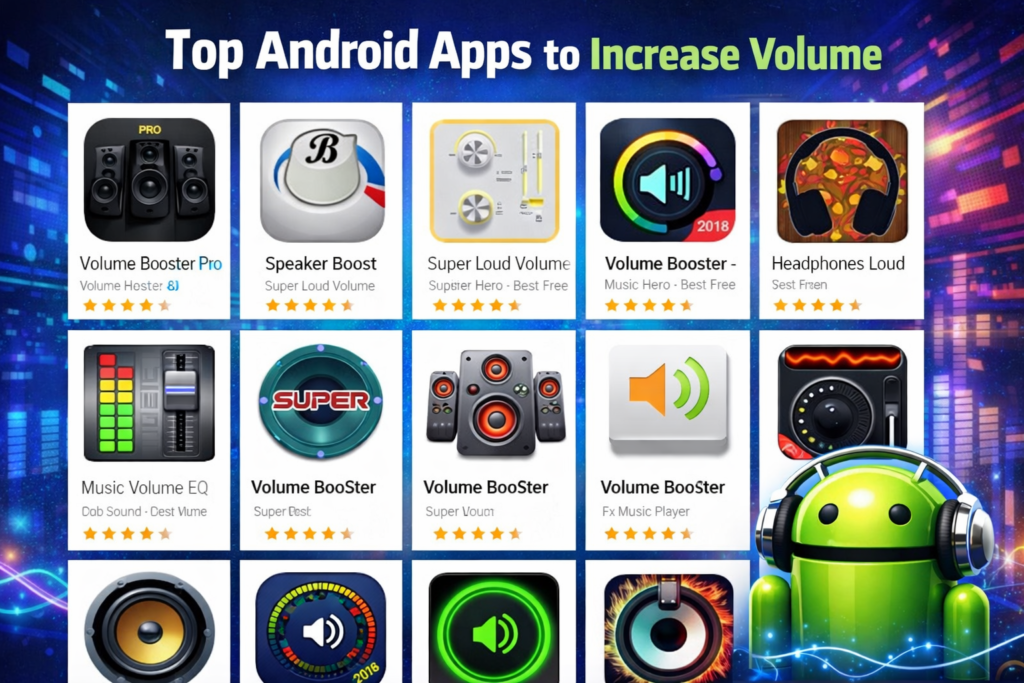
Top Android Apps to Increase Volume
Here are some of the most popular and trusted apps you can try right now.
1. Equalizer FX
This is one of the most downloaded android app to increase volume options on the Google Play Store. It comes with a 5-band equalizer, bass booster and a volume booster feature.
You can adjust each sound frequency to make your music or videos sound louder and clearer. It works with almost every music and video app on your phone.
Best for: Music lovers who want full control over their sound.
2. Volume Booster GOODEV
This simple app does exactly what its name says. It is a free app to increase volume on Android and one of the most popular choices for users in the US.
You open the app, slide the booster bar up, and your phone gets louder right away. It works in the background, so you don’t have to keep it open.
Best for: People who want a quick and easy volume boost with no settings to mess with.
3. Precise Volume
Precise Volume is a great android app increase volume tool because it gives you very detailed control. The standard Android system only has about 15 volume steps. Precise Volume gives you up to 100 steps.
This means you can find the exact level that works for you. It also lets you remove the EU volume limit that some phones have, which can unlock hidden loudness.
Best for: People who want to fine-tune their sound control.
4. Equalizer and bass boost
This is another great app for Android that boosts volume and focuses on deep bass and total volume. This app can really help you if you like songs with a lot of bass or if you have Bluetooth speakers.
It’s easy to use, and even older Android phones can get along with it.
Ideal for: Bluetooth speaker users or music fans who like songs with a lot of bass.
5. Boom: Equalizer and Bass Booster
Boom is thought to be one of the best Android noise booster apps because it gives you a 3D surround sound experience. It has a built-in music player a bass booster and a smart equalizer.
It even has presets like “Movie” “Pop” “Rock” and more. You can pick one and the app automatically adjusts the sound for that type of audio.
Best for: Users who want an all-in-one sound experience.
How to Use an Android Volume Increase App Safely
Using a volume booster is helpful, but there are a few things to keep in mind.
- Protect your ears. Listening to very loud sounds for a long time can hurt your hearing. Try to keep the volume at a comfortable level, especially with earphones.
- Protect your speaker. Pushing your phone speaker to the maximum for long periods can wear it out over time. Use the boost for short times when you really need it.
- Watch for distortion. If the sound starts to sound crackly or distorted, the volume is too high. Turn it down a little.
As long as you use these apps wisely, they are completely safe to use.
Which app should you pick between free and paid?
Most of the best android app to increase volume options are free or have a free version. For most people, the free version is more than enough.
Paid versions usually offer:
- No ads
- More equalizer bands
- Extra audio effects
- Widget support
If you just want to boost volume quickly start with a free app to increase volume on Android. You can always upgrade later if you need more features.
Does an Android Volume Increase App Work on All Phones?
Most of these apps work on any Android phone running Android 5.0 or higher. That includes phones from Samsung, Google Pixel, OnePlus, Motorola and many more.
However some features like removing the EU volume cap may only work on certain devices or may need special permissions. Always read the app description before downloading.
Tips to Get Even Better Sound on Android
Using an android volume increase app is just one way to improve your sound. Here are some more easy tips:
- Clean your speaker. A dirty speaker grille can muffle sound. Kindly clean it with a soft brush or compressed air.
- Use the right equalizer settings. If you mostly listen to podcasts, boost the mid-range. For music, try boosting the bass and treble slightly.
- Try different earphones. Sometimes the earphones are the problem. A better pair can make a huge difference in how loud and clear things sound.
- Turn off battery saver mode. Some Android phones reduce audio performance in battery saver mode. Turn it off when listening to music or watching videos.
Final Thoughts
If your Android phone just isn’t loud enough, you don’t need to buy a new one. A good android volume increase app can solve the problem quickly and for free.
Whether you want a simple one-tap boost or full control over your equalizer settings, there’s an app out there for you. The best app to increase volume on Android depends on what you need but any of the apps on this list are a great place to start.
Try one today and hear the difference for yourself!