

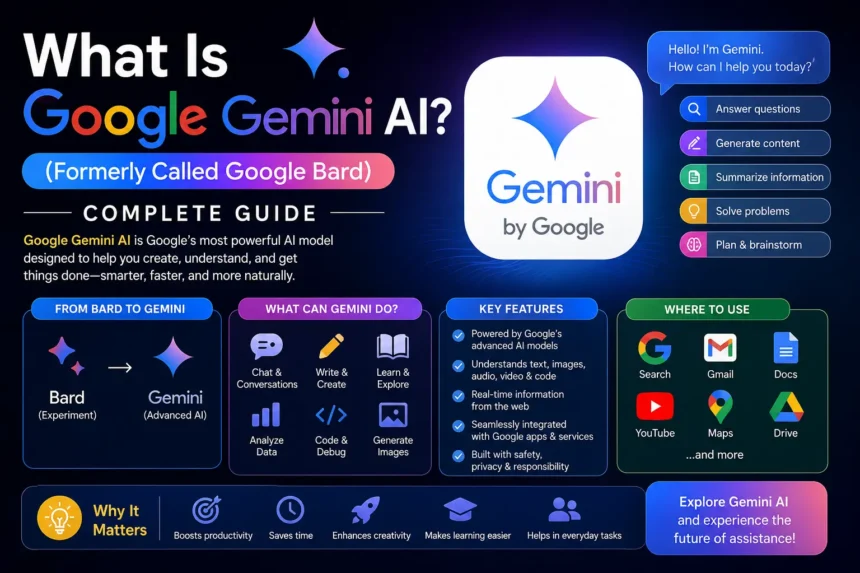
Everything you need to know about Google’s AI, explained in simple words
- Introduction
- What Is Google Gemini?
- What Was Google Bard? And How Is It Connected to Gemini?
- Why Did Google Rename Bard to Gemini?
- Who Is Gemini Artificial Intelligence Made For?
- What Is Google’s AI Called in 2024–2025?
- What Makes Gemini Different From Other AI Tools?
- 1. It Is Natively Multimodal
- 2. It Is Built Into Google
- 3. It Has a Huge Memory (Context Window)
- 4. It Is Available for Free
- How Does Google Gemini Work?
- What Are the Different Versions of Gemini?
- Is Google Gemini free?
- Google Gemini vs ChatGPT — What’s the Difference?
- What Can’t Gemini Do? (Limitations)
- Gemini’s History — A Quick Timeline
- Competitors of Google Gemini
- Final Thoughts
Introduction
Have you ever heard people talking about Google Bard or Bard AI and wondered what it is? Or maybe you’ve heard the moniker Gemini and thought, ‘What’s the name of Google’s AI?
No problem. In this tutorial we will explain everything from scratch in simple words so that even a school student can grasp it.
So let’s get started.
What Is Google Gemini?
Google’s official AI (artificial intelligence) chatbot is Google Gemini. It’s like a super smart computer program that you can talk to ask questions and get useful responses, just like talking to a real person.
Who owns Gemini AI ? It’s owned by Google. Specifically it was built by Google DeepMind, a unique AI research unit inside Alphabet, Google’s parent firm.
Who owns Gemini AI? It was produced by a group of scientists and engineers at Google DeepMind. Google co-founder Sergey Brin was also part of the effort to build the Gemini models.
You can use Gemini to:
- Ask questions and get detailed answers
- Write emails, essays or stories
- Translate text into different languages
- Understand images and videos
- Help with coding and programming
- Summarize long articles or documents
What Was Google Bard? And How Is It Connected to Gemini?
This is where it gets interesting.
Google Bard was the old name of Google’s AI chatbot. Google launched Bard in March 2023 as a competitor to ChatGPT. It was designed to answer questions in a natural, human like way.
But here’s the thing: Bard’s launch didn’t go very well.
During the very first public demo, Bard gave a wrong answer about the James Webb Space Telescope. Scientists quickly pointed out the mistake on social media. The very next day, Google lost $100 billion in market value. Yes, you read that right!
Despite this rocky start Google kept improving Bard. They added better AI models more features and support for images.
Then in February 2024 Google made a big decision they renamed Bard to Gemini.
So if you’re searching for Google Bard or Bard AI today there’s nothing to find separately because Bard is now Gemini. If you go to bard.google.com, it automatically takes you to gemini.google.com.
Why Did Google Rename Bard to Gemini?
Google had three big reasons for this name change:
1. Better Technology:
Google had made an even stronger set of AI models by early 2024. They were called “Gemini” models. These were far smarter than the older LaMDA and PaLM models that Bard used. So the name change reflected a real upgrade.
2. Fresh Start:
The name “Bard” was sullied by mistakes and poor publicity. “Gemini” provided Google a new, clean image in the AI industry.
3. Brand Unity:
Google has a slew of AI technologies under numerous names, including “Bard” for the chatbot and “Duet AI” for Google Workspace. They branded it all under one name: Gemini.
The name “Gemini” is Latin for “twins”. It also references a zodiac constellation that is noted for its adaptability and ability to observe things from numerous perspectives, which are a great fit for an AI that can handle many different types of activities.
Who Is Gemini Artificial Intelligence Made For?
Gemini artificial intelligence is for pretty much everyone:
- Students can utilise it to learn tough topics, compose projects or seek support with their studies.
- It’s useful for working professionals to create emails, summaries of reports, research etc.
- It lets developers write and verify code.
- It allows businesses to automate operations and enhance customer service.
- Normal users can do simple things like answer questions or translate text.
Gemini is now available in over 230 countries including Pakistan, India, UK, US. It supports 70+ languages. You have to be at least 13 years old to use it (18+ in some places).
What Is Google’s AI Called in 2024–2025?
If someone asks you, “What is Google’s AI called?” The simple response is:
Google Gemini (formerly known as Google Bard or Bard AI).
It is the main Google AI chatbot and helper. It powers the AI functions in Google Search, Google Workspace (Docs, Sheets, Gmail) and many Google apps and gadgets.
What Makes Gemini Different From Other AI Tools?
There are a lot of AI solutions out there, such Microsoft’s Copilot and OpenAI’s Chatbot. So what’s unique about Gemini AI?
1. It Is Natively Multimodal
Most older AI tools could only understand text. Gemini can understand text, images, audio, video, and code all at the same time. This means you can show it a photo and ask a question about it, or give it an audio clip and ask for a summary.
2. It Is Built Into Google
Gemini is Google’s own AI, so it works well with everything: Google Search, Gmail, Google Docs, Maps, YouTube, and more. No other AI has this kind of Google connection .
3. It Has a Huge Memory (Context Window)
Gemini 1.5 Pro can handle up to 2 million tokens of data simultaneously. In layman’s terms, it can read and memorise a book’s worth of information in a single conversation. ChatGPT’s GPT-4 has a cap of 128,000 tokens which is substantially smaller.
4. It Is Available for Free
The basic version of Gemini is completely free to use. You just need a Google account.
How Does Google Gemini Work?
Don’t worry we won’t get too technical here.
Gemini is powered by something called a large language model (LLM). Imagine it as a huge brain that has read every book, article and website billions of times. It has been trained on data up to October 2023 and uses all that information to give you the best possible answer when you ask it a question.
Gemini employs a specific kind of technology called a Transformer model. This is the same core principle employed by most modern AI, including the model behind the popular chatbot, named. Google has, however, made its own tweaks to make Gemini faster and smarter.
It also employs Google’s special computer processors called Trillium TPUs (Tensor Processing Units) to process information exceedingly fast.
What Are the Different Versions of Gemini?
Gemini is not just one tool it’s a family of AI models, each designed for different tasks:
| Version | What It’s For |
| Gemini Nano | Built into phones (like Google Pixel) for on-device tasks |
| Gemini Flash | Fast, lightweight version for everyday tasks |
| Gemini Pro | More powerful, good for complex work |
| Gemini Ultra / Advanced | Most powerful version, for professional and advanced use |
The Gemini Advanced version costs $20 per month after a free one-month trial.
Is Google Gemini free?
Yes! The basic version of Google Gemini is free to use. You just need:
- A Google account
- To be 13 years or older (18 in some countries)
The free version gives you access to Gemini Flash and many useful features. If you want more powerful features, you can upgrade to Gemini Advanced for $20/month.
Google Gemini vs ChatGPT — What’s the Difference?
Both are AI chatbots, but here’s a quick comparison:
| Feature | Google Gemini | ChatGPT |
| Made By | Google DeepMind | OpenAI |
| Free Version | Yes | Yes (limited) |
| Context Window | 2 million tokens | 128,000 tokens |
| Google Integration | Deep integration | Not integrated |
| Multimodal (images/video) | Yes | Yes (GPT-4o) |
| Real-time Web Access | Yes | Yes (with tools) |
Both are excellent tools. Gemini is better if you use Google products a lot. ChatGPT might feel more conversational for creative writing tasks.
What Can’t Gemini Do? (Limitations)
Like any AI tool Gemini artificial intelligence has some limitations:
- It can make mistakes. AI tools sometimes give wrong answers this is called “hallucination”. Always double-check important information.
- It can have biases. If the training data included any biased trends, then Gemini could learn to repeat them.
- You can’t be creative all the time. AI is yet unable to generate truly novel thoughts.
- Image generation halted. Gemini’s image creation was suspended in 2024 when it produced certain factual inaccuracies in photos. Google fixed it and brought it back with an improved model called Imagen 3.
Gemini’s History — A Quick Timeline
| Date | What Happened |
| Feb 6, 2023 | Google announces Bard AI |
| March 21, 2023 | Bard opens to users (with waitlist) |
| May 10, 2023 | Bard available in 180+ countries |
| Dec 6, 2023 | Google announces the Gemini AI models |
| Feb 8, 2024 | Bard officially renamed to Gemini |
| May 2024 | Gemini 1.5 Pro with 2M token context window |
| Dec 11, 2024 | Gemini 2.0 Flash released |
Competitors of Google Gemini
Gemini is not alone in the field of AI. Some of its key competitors include:
- ChatGPT (by OpenAI) The world’s most popular AI chatbot
- Microsoft Copilot (based on GPT-4) Integrated with Microsoft products such as Bing & Office Claude (by Anthropic) Safe, Reliable and Trustworthy Llama (by Meta) An open source AI model.
- Jasper AI is famous for producing marketing content
- GitHub Copilot Best for coding assistance
There’s a tool for everything. But Gemini’s real differentiators are its tight integration with Google’s ecosystem and its impressive multimodal capabilities.
Final Thoughts
So now you know the full story.
Google Bard was Google’s first AI chatbot it had a rough start but kept improving. Then in February 2024 Google upgraded it massively and renamed it Gemini. Today Google Gemini is one of the world’s most powerful and widely used artificial intelligence tools.
Whether you’re a student trying to understand a tough subject a professional looking to save time or just someone curious about AI Google Gemini is a tool worth exploring.
If you want to try it just go to gemini.google.com and sign in with your free Google account.






